Bharat Matka Login & Register: How to Create an Account
Want to create a Bharat Matka account or log in to the BharatMatka app? Here is how Bharat Matka registration works, how to log in on Android and iPhone, and how to keep your account safe.
In this guide
How to register on Bharat Matka
The official Bharat Matka register page does not have a sign-up form. It states that new accounts are currently created only through the official support channel, and that players must be 18 or older.
- Install the app first – Bharat Matka APK for Android or the web app for iPhone.
- Contact the official Bharat Matka support channel shown on the official website or inside the app.
- Share only the details support needs to open your account, such as your mobile number.
- Once your account is created, log in with the details you receive.
Only use the support contact shown on the official BharatMatka website or app. The official site itself warns players not to deal with untrusted sources for accounts. Fake “agents” on social media often ask for money to “activate” an ID.
Bharat Matka login
Android: open the Bharat Matka app and sign in with your registered mobile number and password.
iPhone: open the Bharat Matka icon you added to your home screen (or visit app.bharatmatka.net in Safari) and sign in.
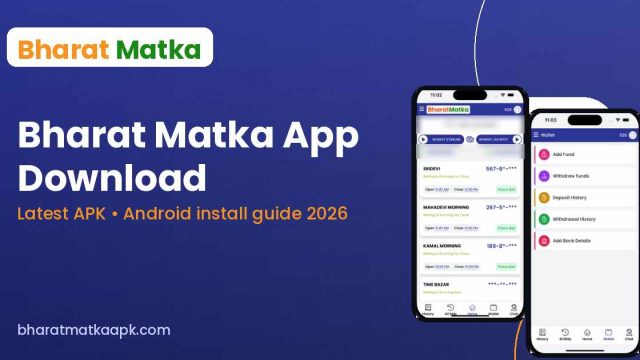
After login, the home screen shows the markets list with their open and close times, and the bottom bar gives you History, All Bids, Home, Wallet and Chat.
Can’t log in?
- Check that you’re typing the same mobile number you registered with.
- Make sure you have the latest app – download it again from our APK guide if needed.
- Check your internet connection and try again.
- For password resets or locked accounts, use the Chat option in the app or the official support channel. This website cannot access or reset app accounts.
Keep your Bharat Matka account safe
- Never share your password, OTP or UPI PIN with anyone – including people claiming to be support.
- Don’t buy or sell “ready IDs” or accounts.
- Log out on shared phones and use a screen lock.
- Ignore anyone offering “fixed numbers” in exchange for your login.
Bharat Matka Login & Register FAQ
Is there a Bharat Matka sign-up form?
Not on the official register page at the time of writing – it directs new users to the support channel.
Can I use one account on Android and iPhone?
Your account belongs to Bharat Matka, not to a device, so you sign in with the same details on the Android app or the iPhone web app.
What is the minimum age?
18 years. Underage gambling is prohibited.
Related guides

Download only from bharatmatkaapk.com or a trusted link. 18+ only.